
IT For AVs®
Mastering Event IT
Most event networks work - until they don't. Mastering Event IT trains the people for whom that moment is not an option.
The practical seminar for the error-free media network infrastructure of modern audio, video, light and broadcast productions.
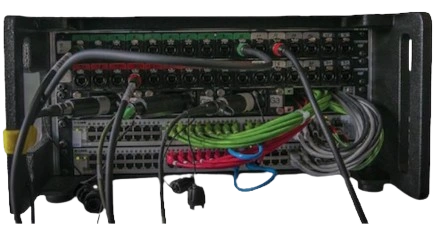
No prior knowledge required
One core course, five deep dives - modular by design
Hands-on Cisco CBS350 configuration included

Leandro Dalmasso
Chris Körber
Laura Jozefiak
Christian Glatthor
Rocketchris Lighting video stage design
Markus Müller
TECSTAGE GmbH & Co. KG
Christian Orth
Jens Seekamp
audio concepts
Daniel Reitemeyer
Daniel Hambuch
Lars Studer
Free system and FOH technician
Daniel Weigand
Eventnet UG
Johannes Schilling
MSE sound technology
Benjamin Östreicher
Östreicher Medientechnik
Jürgen Schwörer
Shure Distribution
Dominic Tomazsewski
Professional sound service
Oliver Winkler
LMP
Patrick Biesdorf
PA-TRICKS
Matthias Strecker
events creativeMastering Event IT is the specialized training program for media technicians, operators, engineers and system planners who are responsible for IP-based audio-visual signal transmission on modern live productions. No media-technical IT knowledge needed – those who come in without network basics go out with the design-technical tools for complex, fail-safe production networks.
The theory is immediately put into practice in the seminar. Participants configure a high-performance switch system (such as the Cisco CBS350) for real-world mixed operation of complex media networks – not as a grey theory, but as a direct preparation for the next demanding media production.
Learning objectives:
- Basic understanding of media technology for IP-based infrastructures in live event environments
- Conception, structuring and planning of audiovisual media networks for cultural, corporate and broadcast events
- Professional system configuration for error-free mixed operation of real-time protocols (Dante, Art-Net, sACN and video streams)
- Continuous media network monitoring and quality assurance during ongoing production operations
- Understand and design synchronization and signal behavior of real-time media protocols
- Process-proof planning and operation of IP-based live streaming for broadcast and media events
REQUIREMENTS
- Computer with admin rights, network interface and web browser.
Who is this training program designed for?
Our training courses are aimed specifically at specialists at the interface of high-end technology and audiovisual design:
- Audio-Engineers, Sounddesigner & Tonmeister
Responsible for the error-free realization of digital AoIP media streams in studio and live environments - Lighting designer, operator & lighting master
Responsible for precise and fail-safe network control of complex visual staging and lighting architectures - Image Mixer, Video Technician & Media Designer Image/Sound
Responsible for the latency-free transmission of high-resolution video and media streams - System Technician & Technical Directors in the Broadcast Sector
The architectural entity behind modern radio, TV, theatre and live productions - Conceptor & technical planner of audiovisual media events
The interface between creative vision and digital infrastructure
Because there's no alternative.
Audio, video, lighting and production intercom — all design trades now transport their signals via Ethernet. Not because it's hip, but because it works: flexible topologies, scalable bandwidths, cost-effective redundancy. The physical connection is no longer the same as the logical one, who understands, designs and plans modern media productions in a completely different way.
Those who do not understand it rely on colleagues who can – or on luck.
Network competence for media production does not arise in the traditional data center. It arises where Dante, Art-Net and SDVoE meet time pressure and cable clutter – and where at 19:58 someone who understands the IT infrastructure and the audiovisual trades alike is needed.
Mastering Event IT conveys network competence on an equal footing. No theoretical ballast from pure office system administration, no simplified half-knowledge. The focus is precisely on what audio, video and lighting specialists need every day in production – and what they will need when the next media production is more complex than the last.
CORE Module
Essentials
3 days
- Network fundamentals - from the OSI model to a production-ready switch
- IT hardware for live events
- Switch configuration for media networks - Cisco CBS350 in practice
- Network monitoring with PRTG - live surveillance of switches, ports and bandwidth
IN-PERSON
ONLINE
DEEP DIVE MODULES
Optional 1 day each
SUBMISSION OF PARTICIPATIONEN:
- Prior knowledge of the Core | Essentials module
- Module-specific requirements according to description
Media/Routing
- Real-time media logs
- Synchronization PTP & gPTP
- Static routing
- Remote Access & VPN
IN-PERSON
ONLINE
Build Lab
- BYOD Switch Configuration
- AI tools in everyday AV life
- Custom UI Build
- Plugfest & Comatibility
IN-PERSON
ONLINE
Lighting
- System design & protocols
- ArtNet, sACN & ACN
- Redundancy concepts
- Practical workshop
IN-PERSON
ONLINE
Audio over IP
- System design & protocols
- Dante, AES67, AVB, Milan
- Clocking
- Practical workshop
IN-PERSON
ONLINE
Live streaming
- CDN architecture
- RTMP, SRT, HLS, MPEG
- WAN access & bandwidth
- Best practice
IN-PERSON
ONLINE
You are configuring your own switch — not a seminar switch that is re-enclosed after the course. Same content, same claim. What you set up is yours.

Learning objectives:
- Identical learning objectives — no compromise on content.
REQUIREMENTS
- s.h Downloads Technical Rider
The course lasts one week from Monday to Friday. We do live lessons in 10 sessions of 2 to 3.5 hours each. Between the live sessions, you should do exercises on your hardware. So take the whole week for an intensive training with network technology. In the week before the course, we will make an introductory round and a technical test to give you enough reaction time to adjust your setup, you should also keep this time slot free. Here you can download the entire course plan.
FAQs
No. We are convinced that real-time teaching and participation is important. The online course has its origins in the live area and we know about the magic when the group and coach are in resonance with the content. Everyone has a knot in their head at different times, to recognize this and to solve it directly is only possible with live lessons and contributes as much to success as the possibility to ask questions at any time.
Please read the entry requirements. The technical requirements can be found in the Technical Rider, which is linked as a pdf download at the top of the page.
Yes, of course! This course is not YouTube entertainment, this is real life...put your hands on!
Please read the entry requirements.
The technical requirements can be found in the Technical Rider, which is linked as a pdf download at the top of the page.
Yes, yes! We are real people in a virtual space, without visual feedback, live lessons are pointless. Without an audience, the coach is nothing. The coach needs to see when you fall asleep and your classmates don't want to be alone either.
Please activate your webcam during class. You can also switch off for dinner ⁇
Yes, of course - woe if not!
We are like a real class only without the sweaty smell in summer. We would only like to politely ask you not to “co-moderate” and to treat the class with respect.Any question related to the topic is welcome, especially if other quieter participants also benefit from your question.
Of course, the trainer reserves the right to discipline or remove troublemakers!
In addition, you can also ask questions in chat at any time that do not need to be answered in real time, the trainer will then answer them at the appropriate place in the class or escalate into the Q&A round of the session.
Yes, of course! This is what it looks like:
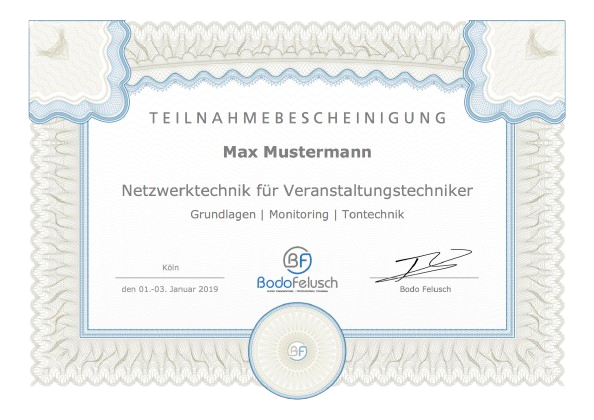
Yes, you get the PowerPoint presentations protected as a PDF download with a personalized watermark.
Yes, that's possible. As a presence in-house training, the Core | Essentials basic course lasts 3 days, with the same content.
Due to a modular structure, however, it is also possible to split optionally, e.g.:/
- 3 days Core | Essentials
- 1 day optional Media & Routing
- 1 day optional Audio over IP or Lighting Networks
However, the practical exercises are done with the setup of the trainer, the participants do not need their own hardware for the Core | Essentials course.
If you are interested, I am pleased about an contacting.
trainers
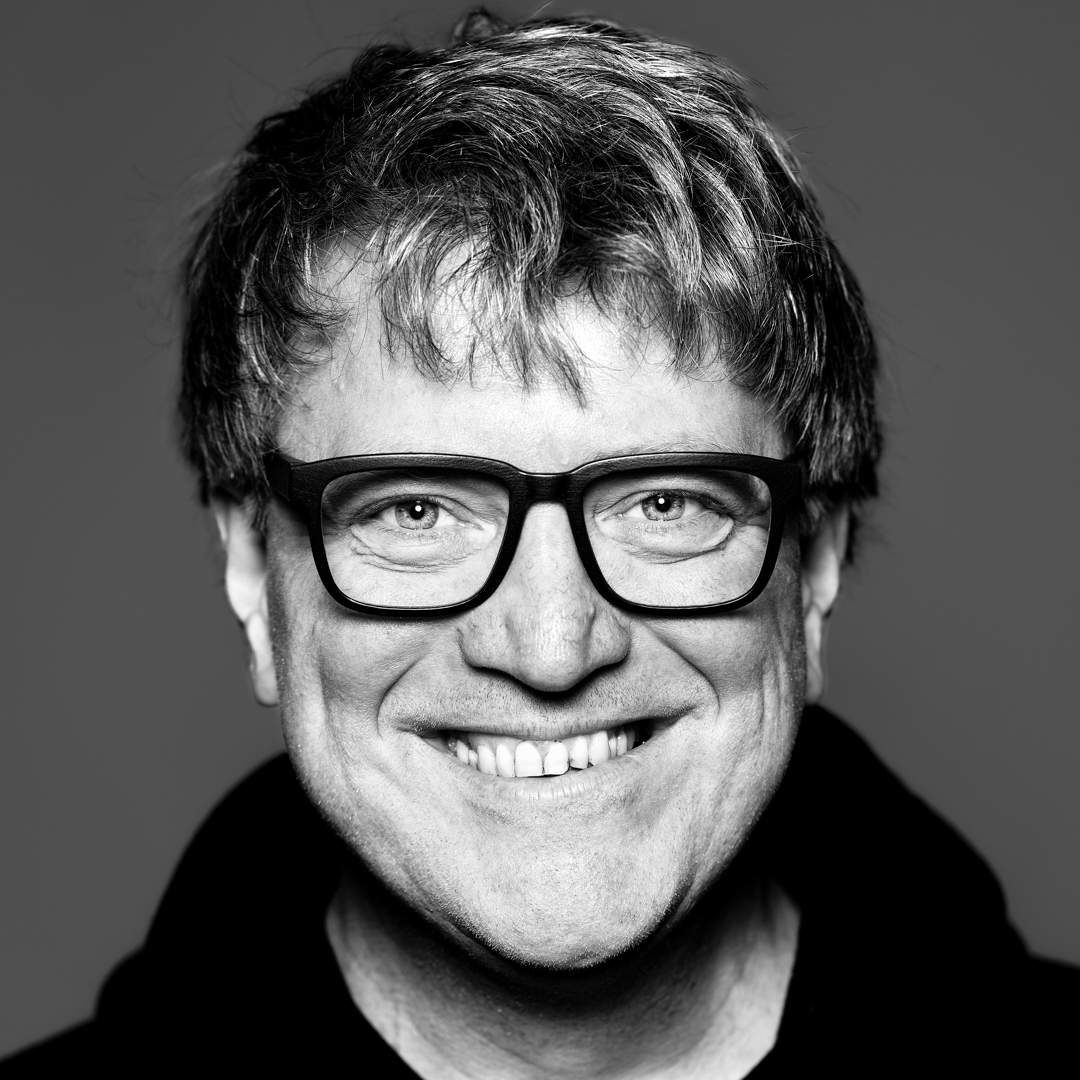
Bodo Felusch
Trainer and founder of IT For AVs® since 2013. Developer of the BF-C.O.R.E.™ standard for professional event IT.
Motto: "Don't panic, it's just a network"
25+ years in professional AV
300+ training days
3000+ participants trained with IT For AVs®
Dates
Events for 2026
IT For AVs® | Core · Essentials
IT For AVs® | Core · Essentials
Core module · 3 days
Essentials
Three days that make the difference. Those who complete this course don't just understand how networks work -- they can plan, configure and monitor them in live operation.
No IT background required. Three days in, and you leave with the tools that hold up on complex productions.
On day three, participants configure a Cisco CBS350 switch for real mixed-media operation across Dante, Art-Net and production networks - hands-on, not simulated.
Core | Essentials is the prerequisite for all Deep Dive Modules and the foundation of professional event IT.
Network Fundamentals
production networks learn where the limits are and how to build solutions that work anyway. From OSI to VLAN, unicast to multicast, copper to fibre - fundamentals taught the way they're needed in practice: complete, direct and rooted in live event work.
From OSI to VLAN, from unicast to multicast, from copper to fibre, the basics are taught as they are needed in practice: complete, without detours, with direct reference to event technology.
Learning objectives:
- What is Ethernet
- OSI model
- NIC
- MAC address
- hub
- Switch (Layer 2)
- IP address
- Switch (Layer 3)
- Router (Layer 3)
- Subnet mask
- W-LAN Router & Access Point
- Poe
- W-LAN
- Increase Wi-Fi range
- Max. permissible transmission power
- Directional antennas
- SSID Cloning
copper
- shielding
- category
- Transmission errors
- damping
- Crosstalk
- reflections
- Intrusions
- Limitation by bandwidth
Fiber optic cables
- structure
- Moden
- Multimode vs. Singlemode
- Fiber categories / Optical classes
- Patch cable types
- Direct connection systems
- Lens connection systems
Cable selection in practice
- Plug-in cycles
- Copper vs. fiber optic
- Max. cable lengths
Basic concepts
- Auto Crossover / Auto MDI
- Auto-sense / auto-negotiation
- DHCP
- ACL
- Ports ⁇ Port conflicts
protocols
- ARP
- IP
- TCP
- UDP
- AVB
- Art-Net
- MA-Network
Data transmission modes
- Unicast
- multicast
- broadcast
- Broadcast storm
- IGMP
- IGMP Snooping
Network topologies
- Point to point
- line
- ring
- star
- tree
- Meshed mesh
- Backbone
- Trades Mixed operation
- Trunk ports / link aggregation
- Typical bandwidths in the media network
- Headroom recommendations
- STP/RSTP/MSTP
- VLAN
- Port-based VLAN
- Tagged VLAN
- QoS
- Prioritizations with QoS Possibilities & Boundaries
- DSCP/DiffServ
- Identification of media networks
- Apple Bonjour
- Zeroconf
- Tact jitter
- Packet jitter
- The energy-saving trap
- Green Ethernet
- IEEE 802.3az Energy Efficient Ethernet
IT hardware for live events
The right switch bought at the wrong time -- everyone knows that feeling. This module covers the criteria that matter: media network requirements, device class comparisons, budgeting without regret.
Plus the tools that make the difference on the job - from ping to Wireshark, cable tester to IP scanner. Not theory. A toolkit for the real world.
Learning objectives:
- Ping commands
- NetSetMan Pro (Win)
- Angry IP Scanner (Win)
- Wireshark (Win/OSX)
- inSSIDer [Windows] / iStumbler [OSX]
- Cable tester
- Budgeting & Conception
- Device classes
- Requirements for media networks
Switch Configuration & Documentation
This is where configuration happens. Participants take a Cisco CBS350 and set it up - VLANs, LAG trunks, RSTP, QoS, ACL filtering, SNMP. Not demonstrated. Done.
Walk away with more than a configured switch - walk away understanding why every setting was made that way. And documented, so the next person on the next production knows exactly what they're looking at.
Learning objectives:
- Configuration for mixed operation with Dante, Lake and free VLANs
- Documentation of the configuration for the users
- Practice Example Set- & Case Design Gahrens + Battermann GmbH
- ACL VLAN Filtering for Lake and Dante Multicast
- Setting up the ACL filter roll in detail – e.g.: Linksys SRW224G4
- Setting up the ACL filter roll in detail – e.g.: D-Link DGS1210-52
- Rules for a stress-free life with network technology
- IP+Subnet
- VLANs;
- LAG Trunks & Backbone Ports
- RSTP
- CoS Prioritizations for Media Networks
- ACL filtering
- SNMP monitoring
- Save
- Documentation
- Setting up other devices
Network monitoring
A network nobody watches is a network that will eventually surprise you. This module shows how to stay in control with PRTG - switches, ports, redundancy, bandwidth - all live on one screen.
Participants build their own PRTG maps. Leave the course and start monitoring your production IT the next day.
Learning objectives:
- Introduction, What you need network monitoring for
- The players
- The principle
- The details
- How it works
- Monitoring Software & Example Workflow for status monitoring
- Configuration of the software
- Monitoring Switch Status
- Monitoring port status
- Bandwidth monitoring & Alarms
- Setting up maps
- Tips & Tricks
- Mobile devices as tools
REQUIREMENTS
- Computer with admin rights, network interface and web browser.
Deep dive · 1 day
Media Protocols & Routing
Switching is not routing. This day goes one level deeper - out of Layer 2 comfort, into the routing that makes complex production networks possible
transported. Add PTP and gPTP for sample-accurate synchronisation, static routing for controlled segmentation, and VPN for secure remote access.
The operating framework behind it all is BF-C.O.R.E. - the open VLAN and IP addressing standard for professional event IT.
Learning objectives:
- Overview Real-time protocols Lighting technology ⁇ Art-Net ⁇ sACN ⁇ ACN
- Overview Real-time protocols Sound ⁇ Dante ⁇ Ravenna ⁇ AES67 AVB/TSN ⁇ Milan
- Overview Real-time protocols Video technology ⁇ SDVoE ⁇ SMPTE2110 ⁇ NDI
- Overview Real-time protocols Interkom | Bolero | Green-GO | Clear-Com | RTS
- Synchronization, Precision Time Protocol PTP, RTP, RTCP
- Audio Clocking ⁇ Qualitative Differences PTP v1 vs. PTP v2 in relation to Digital Audio PCM
- Static routing
- Overview Dynamic routing protocols
- Switch Layer 2 vs Layer 3 Mode
- Inter-VLAN Routing
- gateway
- Traceroute
- Access vs. Core Switch
- BF-C.O.R.E. | Concept
- Updating the Essential Course Configuration to BF-BF-C.O.R.E. Standard
- Editing and Template Management with CLI, Text Editor, Visual Studio Code
- Communication of show equipment across VLAN borders
- Private vs. public IP
- NAT router
- Dual NAT, Carrier Grade NAT, Dual Stack Lite
- Setting up a firewall
- Takeover of the Internet from the customer, from his network in isolated production network, which remains invisible to the customer.
- Distribution of the Internet into the production network
- Failover WAN
- Understanding Peer 2 Peer and Port Sharing Limitations in Customer Routers
- Limitations due to dynamic public IPs of the ISP
- Dynamic DNS
- Robust solutions with own VPS
- IPv4 vs IPv6, problems caused by parallel operation and its solution
- WireGuard and never again "yesterday it was still possible"
REQUIREMENTS
- Computer with admin rights, network interface and web browser.
- Software: Microsoft Excel, Visual Studio Code
Deep Dive · 1 day
Build Lab
No lectures. No guaranteed outcome. Real work on real devices - with people who know the same problems.
Bring your switch. Together it gets configured for BF-C.O.R.E. - whatever the brand, whatever the model. What doesn't work gets debugged. What works gets understood. AI is not a buzzword here - it's a tool: custom switch interfaces that usually require expensive specialist hardware, built with what's available to everyone today.
At the end, all setups connect. What's compatible works. What isn't - that's a result too.
REQUIREMENTS
- Computer with admin rights, network interface and web browser.
- Own managed switch with text-based configuration export.
- Software: Microsoft Excel, Visual Studio Code.
- Mobile Internet connection for the computer.
- Budget and payment option for a Pro Plan, for the AI model communicated at the time of registration, if necessary. Additional credit.
Deep Dive · 1 day
Audio over IP
Audio over IP has arrived in practice -- but those who use Dante without understanding the mechanics behind it will eventually hit a problem they can't explain.
This day covers the full picture: Dante, AES67, AVB, Milan - protocol comparison, real-world compatibility, system limits before the show finds them. The core is clocking -- how PTP works, where PTPv1 and PTPv2 differ, and why wrong latency settings in complex systems create problems that don't explain themselves.
The day ends at real devices. Dante Controller from A to Z, DVS, live system configuration - not simulated.
Learning objectives:
- History & Status Quo
- Dante. Ravenna, AVB, AES67 ... what is it?
- Compatibility of the different protocols
- Detailed differences between the different protocols
- Compatibility of IT infrastructure
- overview
- Maximum channel numbers depending on transfer rate
- Audinate Brooklyn II Module & additional modules
- Lake Custom Brooklyn module
- What is the latency with Dante?
- How is Dante transmitted over the network?
- DSCP/DiffServ configuration for Dante
- Dante and Wi-Fi
- Segmentation of the signal chain from A/D to D/A conversion
- Maximum network sizes depending on latency settings
- Digital audio signals and network marrying ... how to do it?
- Wordclock vs. Clocking within the network
- PTP (Precision Time Protocol IEE1588)
- Differences between PTPv1 and PTPv2 and their IT hardware requirements
- Qualitative differences of PTPv1, PTPv2, Wordclock, MADI, etc. ⁇ Comparison with reference variables and thresholds
- Dante-Master Clock priority
- Yamaha MY16AUD - Sync LED
- Yamaha MY16AUD - Error LED
- Yamaha MY16AUD – common sources of error
- Summary of Clock Setup
- Automatic Dante Clock setup
- Manual Dante Clock setup
- Dual redundant Dante network with star point
- Dual redundant Dante network as a line
- Dual redundant Dante network as a ring
- Dual redundant Dante network as a ring with tree tap
- P2P
- P2P with Trunk
- P2P with RSTP ring
- Simple line
- Line with Trunk
- Line with RSTP Ring
- Dante Dual Redundant Network – P2P
- Dante Dual Redundant Network Line
- Dante Dual Redundant Network – Trunked Line
- Dante Dual Redundant Network - RSTP Ring
- Dante Dual Redundant Network - RSTP Ring + Tree
- Data rates at Unicast & Multicast
- Dante Audio Channel vs.
- Dante Multicast
- Dante ‘Multi’ Unicast and the system boundaries based on practical examples
- Dante Controller from A-Z
- Playback and recording with Dante Virtual Soundcard
- Virtual Soundcheck with Dante Controller & DVS
REQUIREMENTS
- Computer with admin rights, network interface and web browser.
- Software: Audinate Dante Controller & Virtual Soundcard, VLC Player
Deep Dive · 1 day
Lighting networks
Broadcast storms, uncontrolled multicast, address conflicts — lighting networks fail visibly, usually when it's too late. Those who know the causes solve problems in minutes, not hours — and are the calmest person in the room.
This day covers Art-Net, sACN and ACN in full -- protocol comparison, addressing, system limits, VLAN integration in the shared production network. Plus redundancy topologies and fallback strategies that hold on the show.
The hands-on workshop covers node configuration, traffic analysis with Wireshark, fault injection and resolution - under conditions closer to reality than any simulation.
Learning objectives:
- Status Quo – what are we talking about
- Areas of application Art-Net ⁇ ACN ⁇ sACN ⁇ MA-Net
- Examples of applications
- System boundaries
- Important vocabulary
- Signal routing
- Addressing in Art-Net
- IP addresses in the Art-Net
- The transfer
- System boundaries
- Important vocabulary
- Signal routing
- Addressing at sACN
- Multicast IP addresses at sACN
- Looking forward to ACN
- QoS for the different protocols
- latencies
- General recommendations for action
- ETC
- Net2
- PathPort
- ShowNet
- Kinet1
- CITP
- Dual redundant network with star point
- Dual redundant network as a line
- Dual redundant network as a ring
- P2P
- P2P with Trunk
- P2P with RSTP ring
- Simple Line Line with Trunk
- Line with RSTP Ring
- Dual redundant network
- P2P Dual Redundant Network
- Line Dual Redundant Network
- Trunked Line Dual Redundant Network
- RSTP Ring Dual Redundant Network
- RSTP Ring + Tree
- Dual redundant network setup
- Configure Art-Net & sACN Nodes
- Traffic Analysis with Wireshark
- Network load test
- Detect and correct errors
Deep Dive · 1 day
Live streaming
Live streaming is no longer a specialist discipline - it belongs to the production like audio and lighting. Those who don't master it hand it to someone else. Or make mistakes in front of an audience.
This day covers the complete signal path from console to viewer: egress protocols like RTMP and SRT, delivery protocols like HLS and MPEG-DASH, CDN architecture, bandwidth planning and working with on-site infrastructure - firewalls, routers, IPv6 reality.
Leave able to plan, cost and defend streaming setups to clients and suppliers.
Learning objectives:
- Pv6
- IPv6 Global Unicast Address
- IPv6 LAN vs. WAN
- IPv6 Dual Stack
- IPv6 Dual-Stack Lite
- IPv6 Network expansion Status
- NAT
- gateway
- VPN
- Trace route
- CDN Content Delivery Network
- Egress data traffic
- Factors influencing CDN costs
- Price discussion
- Best Practice ⁇ Professional Use of the Internet
- Protocol vocabulary: Encoding ⁇ Decoding ⁇ Data Compression ⁇ Container ⁇ Recoding ⁇ Transcoding
- Egress protocols for AV streaming ⁇ RTMP ⁇ SRT
- Delivery Protocols for AV Streaming ⁇ HLS ⁇ MPEG DASH
- The analogue age
- The digital age
- Proprietary network age
- Cloud Age | OTT, Internet, CDN
- Streaming production
- Interactive streaming production
- Remote production
- Protocols & latencies
- HLS vs. LLHLS Protocol
- QUIC Protocol
- HESP Protocol
 IT for AVs® | Bodo Felusch